
Demo line
The demo line is a simulated production line with five stations. With one click, PlantBeat creates it together with dashboards, rules, maintenance counters and prior history. This way you see what PlantBeat looks like in everyday use without a PLC, and you can try everything safely. The demo line does not need a license and runs without limit.
Set up
- In the navigation, open "Connections".
- Click Set up demo line and confirm the prompt. For this, you need the Administrator role.
- PlantBeat sets everything up. The "Setup result" card then shows the state and a message for each step.
PlantBeat adds to what already exists and deletes nothing. If the setup stops, the rows of the card name the reason, and clicking again continues.
What is created
| What | Scope |
|---|---|
| Connection "Demo-Linie" | five stations: 10 welding, 20 CNC, 30 drilling, 40 screwing, 50 final inspection |
| Data records | keys Serial (serial number) and Charge (batch), model "Demo-Werkstück"; each workpiece passes through all stations with the same serial number and batch |
| Alarms | 13 alarm and info rules |
| Maintenance | 7 maintenance counters and 5 drift rules |
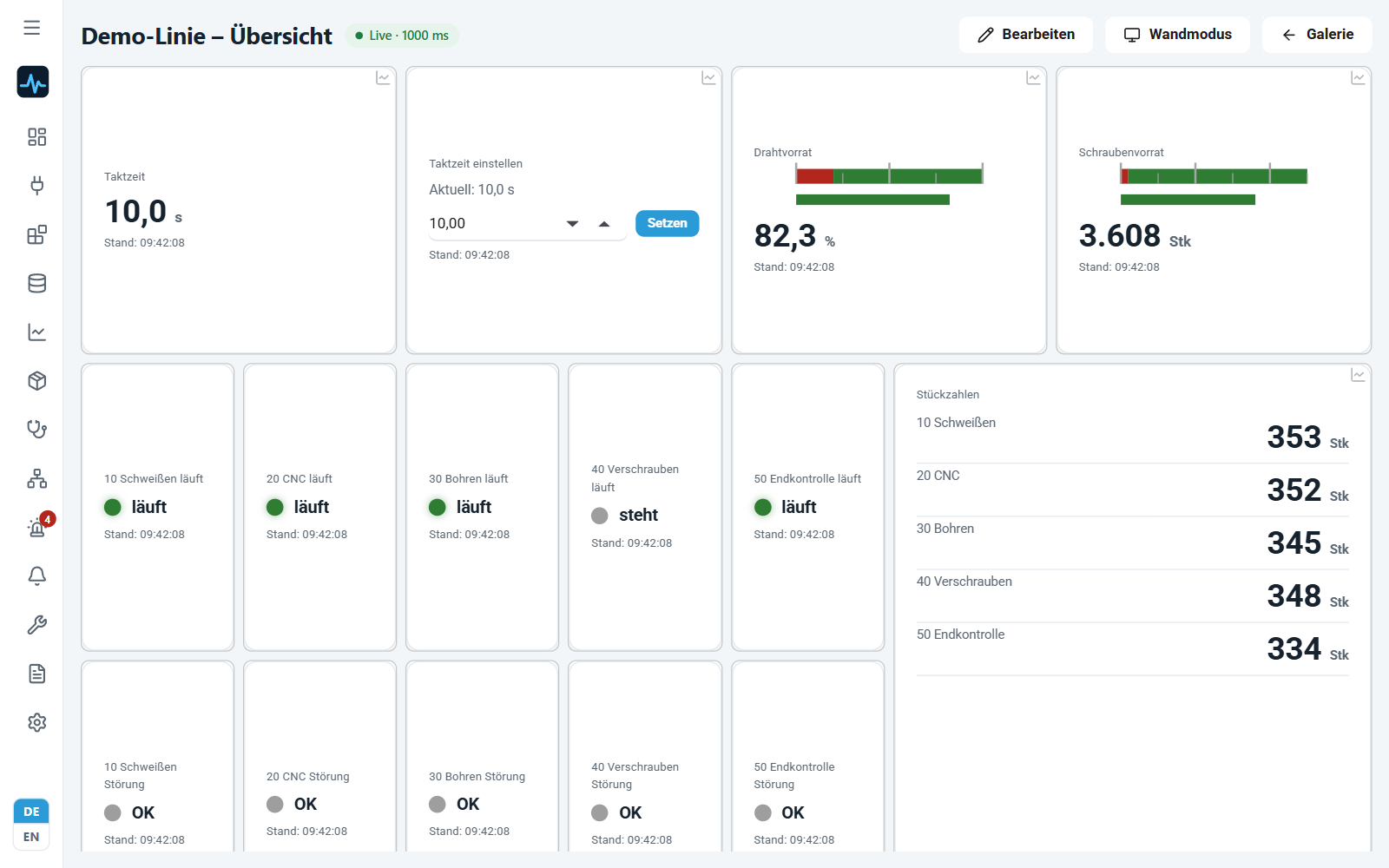
| Dashboards | 7 dashboards, including "Demo-Linie – Übersicht" |
| Prior history | 35 days, so that history, reports and drift show something right away |
You can set the cycle time of the line yourself in the dashboard. This way you safely try out how writing to a PLC works.
Note
The demo line uses storage: at a 10 s cycle time, about 43,000 data records (around 26 MB) are created per day, plus about 275 MB of additional measured values at 60 days of retention. There is at most one demo line per installation.
What you can try with it
- View dashboards, change them in the designer and open them in wall mode, see First dashboard.
- View values in "History" and export them as CSV.
- Acknowledge alarms under "Alarms", reset maintenance counters under "Maintenance" with Maintenance performed.
- Search data records under "Records" by serial number or batch. In the "Setup result" card, "Go to the record search" takes you straight there.
Just one machine instead of a line
For a quick start, there is also the practice machine: add a new connection and enter demo as the address. It delivers changing values such as speed, part counter and temperatures, and it also accepts written values.
Remove
On the "Connections" page, delete the connection "Demo-Linie" with Delete. Its values are deleted along with it.
Next steps
- First connection to your real PLC
- Activate the license